Skip to content
Experience Design • Systems Thinking • AI Products

I design the interface, then chase the logic hiding underneath it.

I work where product design meets system logic: translating between users, developers, databases, and stakeholders, then building the thing that makes all of it make sense.

UX flows Data systems AI interfaces
+42% Faster handoff
UX Flow
Design + Systems
AI Interfaces
Featured Work

Case studies with system-level teeth.

Projects that connect the front-end experience to the workflow logic, data model, and decision-making underneath.

Featured Case Study Local-first AI Offline capable

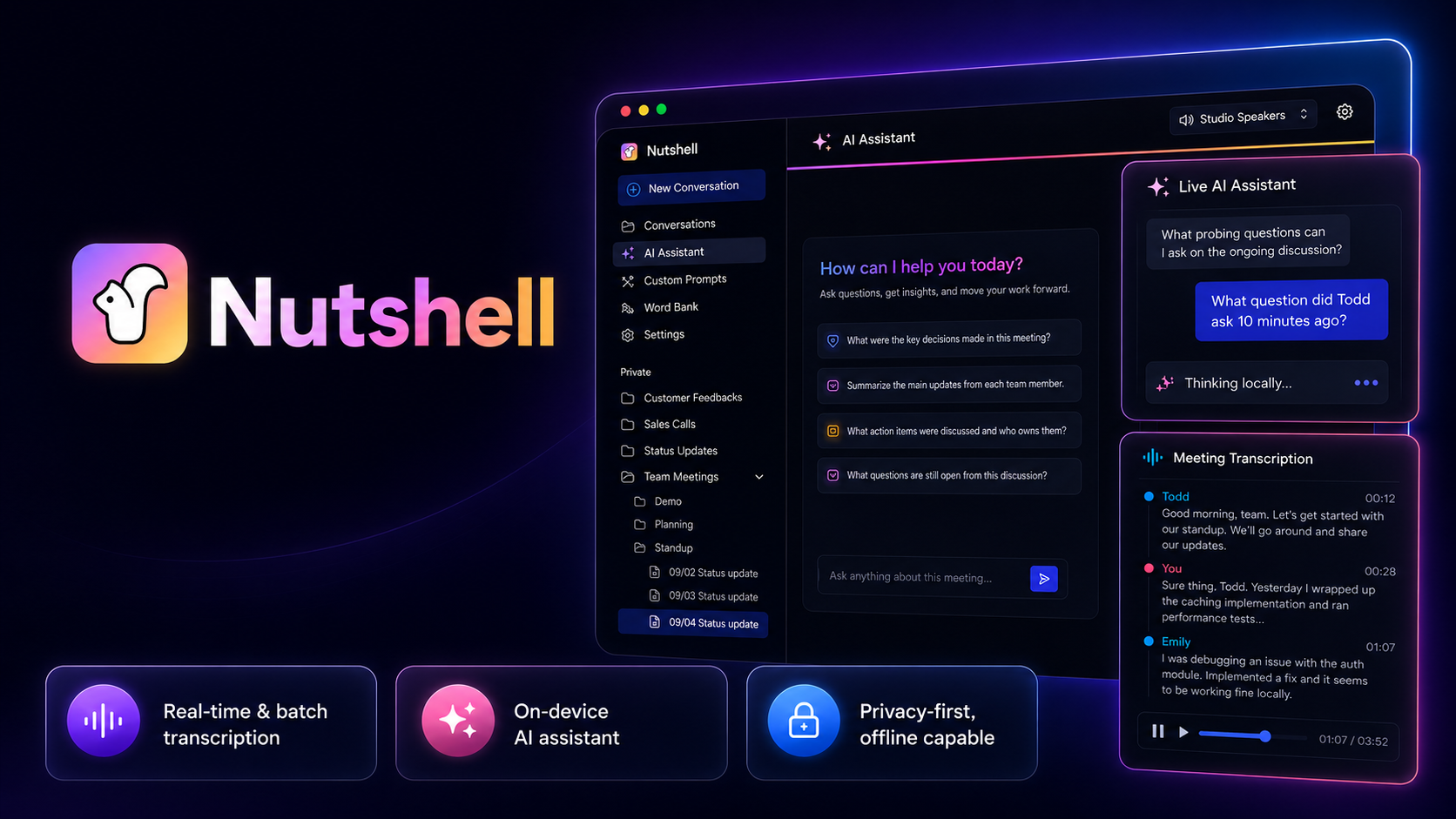
Nutshell turns meetings into searchable, actionable insight without making privacy feel like fine print.

Designed the full product experience for a privacy-first AI meeting assistant, treating on-device processing not as a technical constraint, but as the core product statement.

View case study
Nutshell app — AI assistant and meeting transcript interface
01 AI Product

Nutshell

Privacy-first AI meeting assistant. On-device processing is the product statement, not a footnote built around searchable transcripts, smart summaries, and the idea that your meetings belong to you.

AI TranscriptionPrivacy-First
View case study
02 Browser Extension

AI Compass

A prompt-building product that teaches you how to think with AI, not just what to type into it. Onboarding flow, structured guidance, and interaction design that builds confidence over time.

ProductivityPrompt Engineering
View case study
03 Web App

Vydeo

Empowers you to create the exact motion graphics you need, faster and more easily than ever before

Content CreationGraphic Design
View case study
04 Web App

Mappi

A browser-based map animation tool designed around clean customization, real-time preview, and export confidence, helping creators build cinematic route videos without thinking like motion designers.

VisualsMap Powered Animation
View case study
About Me

I'm drawn to the messy middle.

The part where the user says, "this is annoying," the developer says, "that's how the system works," and the stakeholder says, "we needed this yesterday." That is usually where the real product is hiding.

I like working where things are tangled: confusing workflows, half-clear requirements, clunky systems, AI features that need a reason to exist, and interfaces that look fine until someone actually has to use them.

My strength is connecting the pieces. I can zoom into the details of a screen, then zoom out into the system behind it: the data, the process, the business rule, the user behavior, the thing nobody wrote down but everyone works around.

That is where I think good design happens. Not just in the polish, but in the translation.

Between people and systems. Between chaos and clarity. Between "this technically works" and "this finally makes sense."
How I Think

How I untangle things.

I do my best work when the problem is not fully defined yet.

I start by finding the friction: where people hesitate, repeat steps, create workarounds, or lose trust in the system. Then I map what is really happening underneath: the workflow, the data, the business rule, the handoff, and the hidden assumptions.

From there, I turn the mess into something people can respond to: a clearer flow, a better interface, a sharper requirement, a prototype, a system map, or a decision that finally has shape.

Find the real friction

The first complaint is usually the doorway, not the whole room. I look for the pattern behind the pain.

Translate between people and systems

Users, developers, stakeholders, and data all speak different languages. I like building the bridge between them.

Make hidden logic visible

If the system has rules, states, assumptions, or consequences, the interface should help people understand them.

Design for the edge cases

The happy path is clean. The real product shows up in the exceptions, handoffs, and "wait, what happens if…" moments.

Turn clarity into momentum

Good design should not just look better. It should help people decide, move, fix, trust, and keep going.

AI Design Philosophy

My AI Principles

AI should not feel like a magic trick. It should feel like a useful partner that shows what it understood, gives people control, and helps them move with more clarity.

Reveal what it understood.

Users should know what context the AI used, what it assumed, and how to correct it.

Design trust into the interface.

Trust comes from feedback, previews, undo states, boundaries, and clear next steps.

Scaffold the prompt.

People should not need to become prompt engineers to get useful results.

Give every output a path to action.

AI should help users refine, compare, save, share, apply, or decide.

Keep the user in control.

Automation should support judgment, not quietly take the wheel.

Make the invisible system visible.

Good AI design turns hidden logic into something users can understand without needing to see the wires.

Capabilities

What I work across.

I move between the interface, the workflow, and the system underneath it. That range helps me design products that look clear on the surface and hold up when real people, real data, and real edge cases get involved.

Product & UX

User flows, wireframes, prototypes, design systems, interaction design, information architecture, usability, and product thinking.

Systems & Data

SQL, reporting, workflow logic, database-aligned interfaces, QA testing, operational tools, and the hidden rules behind the screen.

AI & Emerging Interfaces

AI product design, prompt scaffolding, human-in-the-loop workflows, trust states, output refinement, and interfaces that make AI feel useful instead of mysterious.

Next Step

Got a messy product, workflow, or system that needs to feel obvious?

Product pioneer for messy systems, human moments, and ideas with a pulse.